


Originally Posted by wunaladreamin
 Thanks for the help guys. This was a horrible light day, but AF1 was in town and I figured I would give it a go.
Levels correction is done in RGB.


Thanks for the help guys. This was a horrible light day, but AF1 was in town and I figured I would give it a go.
Levels correction is done in RGB.
Jeremy in Minnesota
My pictures on jp.net


Even though its quicker to do it in RGB, you'll have more accurate correction using individual channels.
These rejections I'm going to have to call BS on!
http://www.jetphotos.net/viewreject_b.php?id=4154787
http://www.jetphotos.net/viewreject_b.php?id=4154787
Both rejected for overexposure and CMOS dust spots. The overexposure I can see, but given the time of day and the amount of snow on the ground pictures are just going to look a bit brighter. The dust spots are totally messed up by the screener. The "dust spots" he/she saw are water vapor coming from a building nearby, anyone can clearly see. When equalized, NO dust spots are seen anywhere! I'm going to appeal, because whoever screened this clearly DID NOT take his/her time actually looking at the photo.
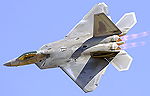


Alex, sorry, no BS and you only linked one image twice... what is the URL for the other one?
In any case, the one above is clearly NOT overexposed; the brightest white I can find is about 251 level out of 255. Bright but not over in my opinion...
But it does indeed have large dust spots!!
Equalized I can see them clearly, but some curve work can show them even more

Last edited by gonzalu; 02-21-2013 at 08:58 PM.
Manny Gonzalez
Thrust Images | General Photography | R.I.P. Matt Molnar 1979-2013
BRING BACK THE KJFK/KLGA OBSERVATION DECKS
Oh wow, when I equalized none of that seemed to show. Weird. The other must be the same.
Why do you find it weird? If you;re not equalizing your FINAL JPG that you saved for upload, you're not really seeing what THEY see... always keep that in mind. I usually save the file and then open it back up in PSCS6 and EQ and Curves to see if there is anything I missed. Now for some of the rules applied by the two main database sites as I know them:
JP.net
--ANY dust spot or blemish will be revealed via EQUALIZATION even if invisible in regular shot and will be rejected (usually) and they are VERY good at this ;-)
A.net
--Screeners MUST be able to see the spots and/or blemishes UN-EQUALIZED ... Equalization is at the discretion of the screeners to CONFIRM something noticed in the regularly screened image as seen by anyone as normally displayed. So if there is a spot in the image but it is not discernible to the naked eye, it gets a pass usually.
Another trick to use (one used by the screeners at A.net is to rapidly circle your eyes around a picture. Your eyes are so good at hiding the HOLE in the back of the retina (where the optical nerve is) that you miss stuff that's directly focused / projected on that spot. By moving your eyes around quickly you pick up subtle differences in the image such as spots quite easily.
Manny Gonzalez
Thrust Images | General Photography | R.I.P. Matt Molnar 1979-2013
BRING BACK THE KJFK/KLGA OBSERVATION DECKS
I am equalizing the final JPEG, it is just hard for me to see dust spots for some reason. I guess I'll just have to train my eyes to see them better. It also doesn't help that my computer's screen is below average.
Also good to know is that screeners use either a 24inch S-IPS panel or larger at at least 96dpi and hardware calibrated. If you are not doing the same, you're just guessing and getting lucky ... seriously, the A.net database literally wants perfect shots or close to it. There is no point in thinking of it any other way... you can upload to literally any other database or on-line gallery... they may not be as strict... but A.net is aiming to have the highest standards and that's their turf, whether you agree with it or not ;-)
Manny Gonzalez
Thrust Images | General Photography | R.I.P. Matt Molnar 1979-2013
BRING BACK THE KJFK/KLGA OBSERVATION DECKS
What do you guys think?
http://www.jetphotos.net/viewreject_b.php?id=4156617

You're in a double edge sword world there - the top of the aircraft is very bright - which can be classed as over exposed. While the Air Canada red titles are good - the express and the reg seem soft - just comments from looking on my Mac - if you can selective sharpen the tail area before processing - I think you might be in a better place...
Mark Lawrence - KFLL
Davie, FL
Community Manager NYCAviation.com
email: [email protected]
http://www.jetphotos.net/showphotos.php?userid=1538
http://amateuravphoto.blogspot.com
Thanks Mark! I can see soft, but overexposed I dont think so, given that the sun was high in the sky, few if any clouds, and tons of snow, so photos will be a bit brighter, right?
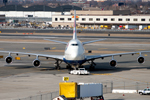
It does look overexposed to me as well, mainly the fuselage. I would play with the brightness a bit. As for snow, sun, etc. the screeners don't know that and I believe they screen regardless of the conditions. First impression is important, and my first impression was "whoa, bright!". Should be easy to fix, try again because this is a very sweet shot.
Overexposed in Minnesota :)
Reprocess, dial back the exposure a hair, sharpen a bit and it is in.
Jeremy in Minnesota
My pictures on jp.net
I've said it numerous times in this thread already...LEARN YOUR HISTOGRAM! It will not only end your exposure issues but it will help with the overall sharpness of the image as well.
WAAAAY overexposed, Alex... I actually SHOWED you how to get it better and you ignored good advice? Shame on me...!
Manny Gonzalez
Thrust Images | General Photography | R.I.P. Matt Molnar 1979-2013
BRING BACK THE KJFK/KLGA OBSERVATION DECKS
 Posting Permissions
 )
) 
 Reply With Quote
Bookmarks