


They all look dark to me, and most look like they could use a little CW rotation.


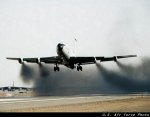
They all look dark to me, and most look like they could use a little CW rotation.
KC-135 - Passing gas & taking names!
http://www.jetphotos.net/showphotos.php?userid=15086
http://moose135.smugmug.com

Its funny because only two had underexposure listed as a reason for rejection. A few listed CW as a reason, it was hard with few buildings to guide to and an uneven runway. They looked good to me in CS6. Everyone except for the two DL MD-90s listed over-sharpening as a problem.Originally Posted by moose135

I just don't get this. Maybe one of you non-noobs could help. Here are the pics and reasons for rejection.
Reason: Oversharpen
Reason: Bad Info in the following field(s): Airline
Reason: Oversharpen
Reason: Bad Composition (bad framing / aircraft not centered)
Reason: Oversharpen
Reason: Dirty Scan / CMOS Dust spots, Horizon unlevel
That last one I really don't understand. I appealed the 2nd one because there was nothing wrong with the airline info I put (Untitled). Thoughts?? What should I do better? Thanks as always.
The last photo I see a huge dust spot just to the left of the tail,and just a little CCW.
Doug
Yes I saw that and a smaller one right over the cockpit area; I fixed both. I will try again. What about the other ones?? Also fixed the CCW.
The aircraft not centered reject seems valid, it looks a bit low to me. Oversharp is a bit hard for me to judge, what is your workflow? Are you cropping a lot and then sharpening a lot? Try to fill the frame, but leave enough room to level it up.
Jeremy in Minnesota
My pictures on jp.net
Yes the more I look at it, it seems a bit low. Its funny because A.net loves really sharp images, while jetphotos rejects for it. Here is my workflow:
1. Level image (using the ruler tool)
2. Crop (3x2 ratio)
3. Adjust Levels
4. Resize to 1024 pixels wide (Bicubic sharper)
5. Duplicate backkground layer
6. Use magic wand to select the sky, then select inverse
7. Unsharp mask, 200% at .2 radius. As many times as I see necessary.
8. Eraser for oversharp areas.
9. Flatten.
10. Duplicate again, then equalize.
11. Clean up dust spots, then delete the copied layer.
Finished. BTW, I always shoot raw so obviously I make those adjustments first.
I these two got rejected for "poor editing of sky" and "odd looking sky," respectively. Any thoughts?
http://www.airliners.net/addphotos/r...2_5484_bcs.jpg
http://www.airliners.net/addphotos/r...21212_3557.jpg
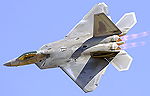


Yeah, shows up pretty readily in EQ... and be careful, on the Thai, you can see you clearly did some extra doctoring on the Sky, perhaps even copy/paste or clone. You could get yourself banned :-(

Manny Gonzalez
Thrust Images | General Photography | R.I.P. Matt Molnar 1979-2013
BRING BACK THE KJFK/KLGA OBSERVATION DECKS
Alex,
The screening was spot on on all of them in my opinion. The sharpening is borderline neither here northere. Remember it will be a judgement call by the screener in the end so there isn;t a clear cut THIS IS IT sharp :-)
As for your workflow, I'd change a few things.
--ALWAYS try and make all your edits on the FULL SIZE image... the last thing you should do is sharpen and save
--Make your workflow in order of MOST destructive to LEAST destructive step by step.
+ Spot Removal First
+ Denoise
+ Exposure/Contrast/Levels/Color Balance etc.
+ Resize
+ Sharpen
+ Save As... (Never "Save for Web...")
--Sharpening will depend on each and every image... (to me at least. I use a brand new sharpen workflow for each image. Never same formula unless absolutely identical images within minutes of each other)
--If shooting RAW, sharpening will be MUCH different than if shooting JPG
--If editing JPGs, sharpening differs depending on the settings of your camera, the contrast levels in the scene, etc. etc.
Good luck!
Manny Gonzalez
Thrust Images | General Photography | R.I.P. Matt Molnar 1979-2013
BRING BACK THE KJFK/KLGA OBSERVATION DECKS
Thanks, Manny. I'll have to re-edit that seam--that was where I removed a dust spot. Do you think that's why it was rejected for poor editing?
That and the bad halo on the tail... I can see it even without equalizing :/
Manny Gonzalez
Thrust Images | General Photography | R.I.P. Matt Molnar 1979-2013
BRING BACK THE KJFK/KLGA OBSERVATION DECKS
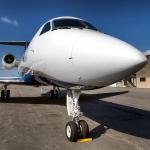
This was rejected for "Blurry." I don't really see how it is blurry, do you guys think so? Is it worth an appeal?

Alex, it looks to me as if the front of the plane has a little motion blur. It's most noticeable on the nose gear door number and on the red static port outlined boxes. The right side of the plane looks okay. When I go through my pics, for F9 A319s especially, I always like to check the static port boxes at 100% to see if they have crisp edges or are soft in any way. Here is one of my recent additions, where the outline was pretty sharp:
AeroPX Aviation Photography - Website | Facebook
AVP Talk (Aviation Photography Talk) - http://avptalk.com
1/400 Diecast Aircraft Models - http://diecastwings.com
Thanks Cary! I just don't see how much blur could warrant a rejection. Anyways, it's fine because I got a shot of the same a/c taxiing accepted.
 Posting Permissions

 Reply With Quote


Bookmarks