Page 67 of 92 FirstFirst ... 175763646566676869707177 ... LastLast
Results 991 to 1,005 of 1369

Thread: Post Your Recent REJECTIONS!

  1. #991

  2. #992
    Senior Member NIKV69's Avatar
    Join Date
    Apr 2005
    Location
    IFP, ISP, JFK, IGM, SAN, VCV, LGA, LAX, SEE, LAS
    Posts
    4,258
    I hear ya Sergio but all of them seem pretty straightforward.
    'My idea of a good picture is one that's in focus and of a famous person doing something unfamous.' Andy Warhol

  3. #993
    Senior Member JDANDO's Avatar
    Join Date
    Oct 2009
    Location
    KMSP, KANE
    Posts
    863
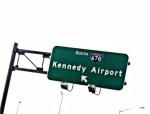
    This one has me baffled...Bad Motive


    Uploaded as a terminal picture.

    Any insight for the rejection? Too much road, no planes, no people. It was like0500, everybody but me was asleep.
    Jeremy in Minnesota

    My pictures on jp.net

  4. #994
    Senior Member
    Join Date
    Mar 2010
    Location
    Des Moines,Iowa
    Posts
    992
    Seems to be too much road. The first thing I see when I look at the picture is the road.

    Doug

  5. #995

  6. #996


    rejected for grain...it had just rained and was still misting...really?
    Have you ever seen a grown man naked?

  7. #997
    Senior Member gonzalu's Avatar
    Join Date
    May 2009
    Location
    The Bronx, New York
    Posts
    6,028
    Sorry Mike, but it is not the rain.. Remember your images are screened at 500% and also equalized. If you do the same with your above image, you will see the heavy noise. Looks like an easy fix though... Lately also ANY blockage of any sort, even the slightest, will usually get rejected :-( So, give it another shot, and use the noise reduction wisely. Do you have Lightroom? IF not, do you have Imagenomic Noiseware Pro for Photoshop? If not, I'd be glad to denoise your final edit BEFORE resizing for you...
    Manny Gonzalez
    Thrust Images | General Photography | R.I.P. Matt Molnar 1979-2013
    BRING BACK THE KJFK/KLGA OBSERVATION DECKS

  8. #998
    Senior Member Kris V's Avatar
    Join Date
    Jan 2012
    Location
    Anchorage, Alaska/ Fairbanks,Alaska
    Posts
    299

  9. #999
    Senior Member Roush6NY's Avatar
    Join Date
    Dec 2010
    Location
    Queens NY
    Posts
    1,360
    Quote Originally Posted by Kris V View Post
    Its not your cropping that got you the rejections, its the size ratio and the 2nd I'm guessing you forgot to check off "cargo plane" once you were uploading

    Here is what you have to remember as far as the ratio when cropping:

    Photos should be uploaded between 4:3 or 3:2 format. Those formats are typically used by almost all digital cameras, so that any changes to the format can only be achieved by deliberately cropping the photo differently. A photo outside these size ratios will be rejected using the rejection reason "Cropping / Photo edges".

    To make it easier for you here are the typical sizes for both ratios.


    4:3
    800 x 600
    1024 x 76
    1280 x 960
    1600 x 1200

    3:2
    800 x 533
    1024 x 681
    1200 x 800
    1600 x 1067
    Kaz T

    My Photos:

    JetPhotos
    KT Images NY

  10. #1000
    Senior Member Kris V's Avatar
    Join Date
    Jan 2012
    Location
    Anchorage, Alaska/ Fairbanks,Alaska
    Posts
    299
    Quote Originally Posted by Roush6NY View Post
    Its not your cropping that got you the rejections, its the size ratio and the 2nd I'm guessing you forgot to check off "cargo plane" once you were uploading

    Here is what you have to remember as far as the ratio when cropping:

    Photos should be uploaded between 4:3 or 3:2 format. Those formats are typically used by almost all digital cameras, so that any changes to the format can only be achieved by deliberately cropping the photo differently. A photo outside these size ratios will be rejected using the rejection reason "Cropping / Photo edges".

    To make it easier for you here are the typical sizes for both ratios.


    4:3
    800 x 600
    1024 x 76
    1280 x 960
    1600 x 1200

    3:2
    800 x 533
    1024 x 681
    1200 x 800
    1600 x 1067
    Is the size ratios visible? I personally don't know what to look for within that.

  11. #1001
    Senior Member gonzalu's Avatar
    Join Date
    May 2009
    Location
    The Bronx, New York
    Posts
    6,028
    Kris, I created a small video on cropping and ratios just for this very question some time ago

    Manny Gonzalez
    Thrust Images | General Photography | R.I.P. Matt Molnar 1979-2013
    BRING BACK THE KJFK/KLGA OBSERVATION DECKS

  12. #1002
    Junior Member
    Join Date
    Jun 2011
    Posts
    25
    Quote Originally Posted by gonzalu View Post
    Remember your images are screened at 500% and also equalized.
    In screening we get the jpg file without watermark - there is no capability in the screening tool to zoom, equalize or anything else. Very occasionally I will save the file and open in Photoshop, usually when checking a suspicious area for cloning. However, if we did that for a majority of images the queue would be astronomically long.

  13. #1003
    Senior Member gonzalu's Avatar
    Join Date
    May 2009
    Location
    The Bronx, New York
    Posts
    6,028
    Quote Originally Posted by alevik View Post
    In screening we get the jpg file without watermark - there is no capability in the screening tool to zoom, equalize or anything else. Very occasionally I will save the file and open in Photoshop, usually when checking a suspicious area for cloning. However, if we did that for a majority of images the queue would be astronomically long.
    Pete,

    I apologize, I was actually speaking of the JP.net process I was told that they have a tool on the browser on the URL they use for screening that does a few things like grid for centering checks, zoom, eq etc. Dana has told me many times you guys do none of the above except maybe check suspicious stuff once in a while and that even then, Photoshop can't be used to justify a rejection. That last one is kind of weird as there is never a time where I have appealed and been ever been justified and frankly, we can never tell if a Photoshop EQ was used or not
    Manny Gonzalez
    Thrust Images | General Photography | R.I.P. Matt Molnar 1979-2013
    BRING BACK THE KJFK/KLGA OBSERVATION DECKS

  14. #1004
    Senior Member Kris V's Avatar
    Join Date
    Jan 2012
    Location
    Anchorage, Alaska/ Fairbanks,Alaska
    Posts
    299
    Quote Originally Posted by gonzalu View Post
    Kris, I created a small video on cropping and ratios just for this very question some time ago

    Thanks Manny, that answers a lot of my questions on cropping!
    Now if I may ask on CS5 is there an auto fix or is it all manual?

  15. #1005
    Senior Member gonzalu's Avatar
    Join Date
    May 2009
    Location
    The Bronx, New York
    Posts
    6,028
    AutoFix? like what, exposure/contrast/color balance? BETTER than Lightroom

    For cropping in CS5, it sucks ass ... in my opinion, Lightroom is soooo ahead of Photoshop with the crop tool.

    So, Auto Color is CTRL+SHIFT+B, Auto Levels is CTRL+SHIFT+L and Auto Contrast is CTRL+SHIFT+ALT+L

    But be careful, they can sometimes bite you... you can use them individually or separately and definitely can be combined in any order depending on the result you want. Make sure you do it on a separate layer, always and mask mask mask!
    Manny Gonzalez
    Thrust Images | General Photography | R.I.P. Matt Molnar 1979-2013
    BRING BACK THE KJFK/KLGA OBSERVATION DECKS

Bookmarks

Posting Permissions

  • You may not post new threads
  • You may not post replies
  • You may not post attachments
  • You may not edit your posts
  •