Results 1 to 15 of 15

Thread: Tips for overcast/cloudy day photos

  1. #1
    Senior Member steve1840's Avatar
    Join Date
    Dec 2010
    Location
    Nashville, TN
    Posts
    2,581

    Tips for overcast/cloudy day photos

    I'm not sure if this has been a topic on here before, but the thought to post it popped into my head after a mainly cloudy and overcast day at the airshow on Sunday. Now, while I am happy with many of my photos, I was overall disappointed with the conditions of the day and feel that if I had a little more insight about shooting in those conditions (I very rarely step outside to photograph aviation on cloudy/overcast days) I could have yielded a lot more good shots.

    Having said that, would any of the experts on here care to offer up some advice or tips for myself and anyone else who may be asking themselves that same question?

    (BTW, thanks Fred for the advice on Sunday. I guess I should have asked about some settings earlier in the day.)
    Steve Furst

    View my work @

    Furst Edition Photography
    JetPhotos.net

  2. #2
    Senior Member Cary's Avatar
    Join Date
    Sep 2007
    Location
    NJ
    Posts
    1,984
    Exposure compensation so your camera doesn't meter for the white sky, or stay at home. Personally, I prefer staying at home
    AeroPX Aviation Photography - Website | Facebook
    AVP Talk (Aviation Photography Talk) - http://avptalk.com
    1/400 Diecast Aircraft Models - http://diecastwings.com

  3. #3
    Senior Member moose135's Avatar
    Join Date
    Apr 2005
    Location
    Long Island, NY
    Posts
    8,013
    Quote Originally Posted by Cary View Post
    Personally, I prefer staying at home
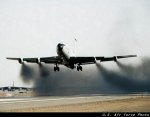
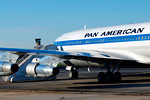
    But then you miss out on some cool stuff...

  4. #4
    Senior Member MarkLawrence's Avatar
    Join Date
    Apr 2005
    Location
    1 Miles NNW of NOVAE - KFLL - Davie, FL
    Posts
    3,894
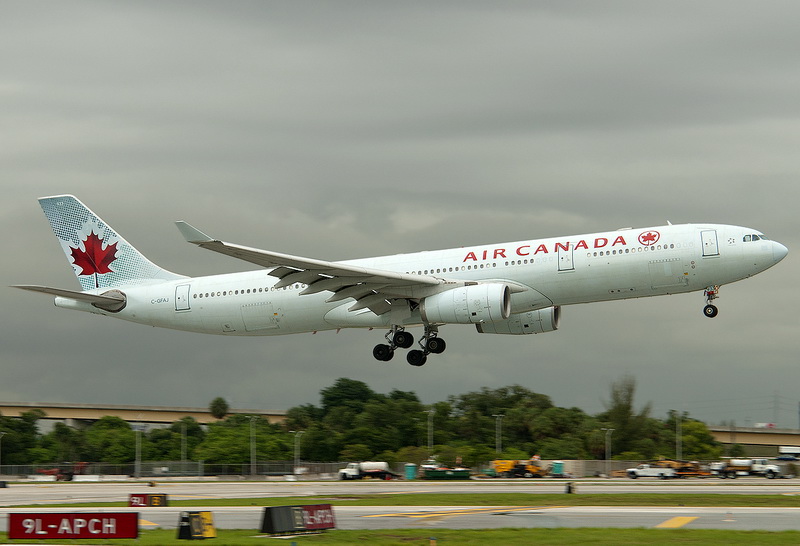
    And cool cloud formations in the background


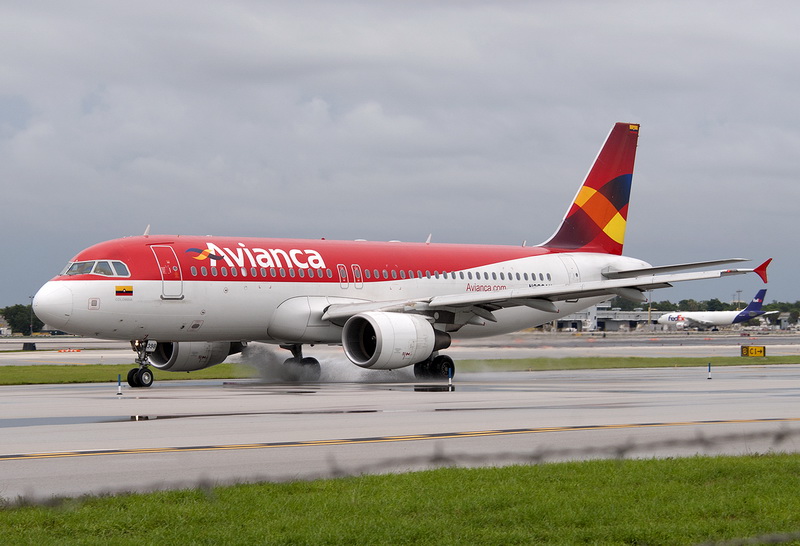
    and cool water effects in wheels...

    Mark Lawrence - KFLL
    Davie, FL

    Community Manager NYCAviation.com
    email: [email protected]

    http://www.jetphotos.net/showphotos.php?userid=1538
    http://amateuravphoto.blogspot.com

  5. #5
    Program Coordinator
    Join Date
    Aug 2008
    Location
    Washington
    Posts
    2,066
    Unless it's raining or the clouds look super cool - I don't bother.

  6. #6
    Senior Member Cary's Avatar
    Join Date
    Sep 2007
    Location
    NJ
    Posts
    1,984
    Quote Originally Posted by moose135 View Post
    But then you miss out on some cool stuff...
    Nice catch Moose, but personally, I'd think to myself..."okay, I got it, but now I have to get it again in sun". Just the way my sad brain works
    AeroPX Aviation Photography - Website | Facebook
    AVP Talk (Aviation Photography Talk) - http://avptalk.com
    1/400 Diecast Aircraft Models - http://diecastwings.com

  7. #7
    Senior Member Derf's Avatar
    Join Date
    May 2005
    Location
    Miller Place N.Y.
    Posts
    4,534
    When shooting in Sunday conditions like the Blues were flying, ya need to over expose just a tad.... The rule of thumb is look at your histogram, if the plane is dark, you may want to over expose the sky to get the airplane well. If you properly expose it you will have a ton of grain on a dark plane when you lighten it in post processing. The best thing to do is check your histogram... Yes, I said it twice. I sometimes will switch to manual in those conditions but I am always spot checking my histogram... sorry, that is 3 times. But the most important out of all the things that are said in this thread...is check your Histogram!
    The three most common expressions in aviation are, "Why is it doing that?", "Where are we?" and "Oh Crap".

  8. #8
    Senior Member moose135's Avatar
    Join Date
    Apr 2005
    Location
    Long Island, NY
    Posts
    8,013
    Quote Originally Posted by Cary View Post
    Nice catch Moose, but personally, I'd think to myself..."okay, I got it, but now I have to get it again in sun". Just the way my sad brain works
    Considering who was on board, and the current world situation, I'm not counting on catching it on a sunny day anytime soon...

  9. #9
    Senior Member Derf's Avatar
    Join Date
    May 2005
    Location
    Miller Place N.Y.
    Posts
    4,534
    And with the cargo ever again!
    The three most common expressions in aviation are, "Why is it doing that?", "Where are we?" and "Oh Crap".

  10. #10
    Senior Member Cary's Avatar
    Join Date
    Sep 2007
    Location
    NJ
    Posts
    1,984
    Quote Originally Posted by moose135 View Post
    Considering who was on board, and the current world situation, I'm not counting on catching it on a sunny day anytime soon...
    Very true
    AeroPX Aviation Photography - Website | Facebook
    AVP Talk (Aviation Photography Talk) - http://avptalk.com
    1/400 Diecast Aircraft Models - http://diecastwings.com

  11. #11
    Senior Member billv's Avatar
    Join Date
    Jul 2010
    Location
    Southeast Massachusetts
    Posts
    122
    Has it been mentioned to check the histogram? Yeah, it's that important. And as Cary and Fred mentioned, exposure compensation will help, especially with tough to photograph aircraft like the very dark Blue Angels. Photographing the Blues on an overcast, cloudy day is no bargain.

    For large aircraft filling your frame (airliners, e.g.), I've had success using spot metering without EC. But I would have reservations doing this on small, fast moving jets that may not be centered in your frame.

    Shooting in the raw format will allow you to have more versatility when you post process.

    Do you use Photoshop? Invest in a good noise reduction plug-in, which will allow you to selectively (as opposed to globally) apply NR on those tough shots through the use of layer masking.

  12. #12
    Senior Member steve1840's Avatar
    Join Date
    Dec 2010
    Location
    Nashville, TN
    Posts
    2,581
    Thanks guys! I appreciate the info. hopefully I don't have to try it out anytime soon Hoping for nice clear skies and sunshine at PEASE in August!

    Bill - Yes, I use photoshop CS5 and have the Noise Ninja plug-in for it (although I am still working on figuring out how to use NN to its fullest potential).
    Steve Furst

    View my work @

    Furst Edition Photography
    JetPhotos.net

  13. #13
    Senior Member Zee71's Avatar
    Join Date
    Jan 2010
    Location
    Queens, NY
    Posts
    4,342
    Steve.........here is my two cents

    When shooting on cloudy days I will tend to adjust my Exposure Compensation as high as +2 in some cases. As mentioned keep checking your histogram. I also will use spot metering as well....shooting RAW helps. I've also noticed that when shooting in Vivid Mode (in order to saturate the colors) may help as well.

    On as side note: Clouds will diffuse sunlight, resulting in a softer light on your subjects. This means you get fewer shadows and better exposure. Lighting is more even and less harsh, and often you'll get a more flattering result for portraits and candid shots.
    Mark
    Queens, NY

    My website: http://mbsphotography.smugmug.com
    My photos at: JetPhotos and ANet

  14. #14
    Senior Member gonzalu's Avatar
    Join Date
    May 2009
    Location
    The Bronx, New York
    Posts
    6,028
    Great advise above already... wanted to add SPOT metering which is what I typically do... Using the histogram, I will set exposure off the sky and add +2 exposure compensation to keep the white sky white. That's with Nikon meter, Canon is a little different but both try to render that white as a middle gray which is typically 2 stops under for a Nikon sensor/processing engine. You need to figure out what yours does.

    This exposure is then set manually... shooting RAW to get the best results in post.

    Now, this falls apart if your exposure is changing from one position to another as when shooting an arc for an approaching plane and then across your field of view exiting to the other side. DEPENDING on which way you;re facing in relationship to the sun and the amount of cloud cover, you will be better off with Matrix Meter (Nikon) or Evaluative Meter (Canon) and dial in your exposure compensation... you will get better results but still never perfect.

    If the sun is high overhead (Midday) the spot meter trick works well... if you are either morning or afternoon and the Sun is behind you, use the Matrix/Eval mode as it is more flexible... if the Sun is in front of you, meaning the clouds are pure white behind your subject... go SPOT and Aperture Priority Auto, dial in compensation based on your Histogram..

    Keep in mind the color of your plane... learn about Middle Gray (makes life so much more enjoyable LOL) and memorize that white planes and black planes are treated as GRAY planes by your meter unless it is Eval/Matrix mode (and even that is not perfect) Remember my motto, keep white fuselages WHITE and black fuselages BLACK!!!

    Now, the famous histogram... I need to write something up on it, but it is always worth mentioning... the histogram is only as good as your knowledge of what it is showing you.

    --First of all, it is showing you the data from the PROCESSED JPG not the RAW data. Keep this in mind with the whites or the blacks being overblown.
    --Single channels will over expose much faster in dull conditions as the camera is pretty dumb when it demosaics the raw data. WB coefficients will not help you in extreme conditions. When in doubt, underexpose a bit.
    --Given the above, if you feel daring, use your COLOR CHANNEL histogram display, make sure NONE of the colors are clipping
    --Know your scene and what it [should] look like on the histogram. White skies with a small plane smack dab in the middle of the frame should look like a huge spike on the right and VERY LITTLE data to the left ... if you don;t care about detail in the sky, blow the whites and try to get the small bumps in the middle slightly to the right. The HEIGHT of the histogram is the AMOUNT of data in the image... so a small plane, small bumps, lots of plane, large bumps
    --Things get more interesting when you have a real background like cloud formations or trees etc. Keep this in mind and adjust accordingly...

    The Histogram shows BRIGHTNESS levels remember, not exposure levels. Just imagine in your head that if you want something brighter in your scene, find out where it lies on the scale and move it to the right to make it brighter or to the left to make it darker...

    Finally, your sensor is very shallow. New ones are better, and 14 bit ADC is a huge improvement, but the latitude of reversal film is hardly matched by even the best 35mm consumer sensors. So, you have to compromise and sometimes give up the sky to get a decent plane.
    Last edited by gonzalu; 06-29-2011 at 11:59 AM.
    Manny Gonzalez
    Thrust Images | General Photography | R.I.P. Matt Molnar 1979-2013
    BRING BACK THE KJFK/KLGA OBSERVATION DECKS

  15. #15
    Senior Member gonzalu's Avatar
    Join Date
    May 2009
    Location
    The Bronx, New York
    Posts
    6,028
    OH WOW!!! [drool]

    Quote Originally Posted by moose135 View Post
    But then you miss out on some cool stuff...
    Manny Gonzalez
    Thrust Images | General Photography | R.I.P. Matt Molnar 1979-2013
    BRING BACK THE KJFK/KLGA OBSERVATION DECKS

Bookmarks

Posting Permissions

  • You may not post new threads
  • You may not post replies
  • You may not post attachments
  • You may not edit your posts
  •